User manual for taking your courses on Performexworld.
1
To start your lessons, click on the "Getting started" button available on the homepage.
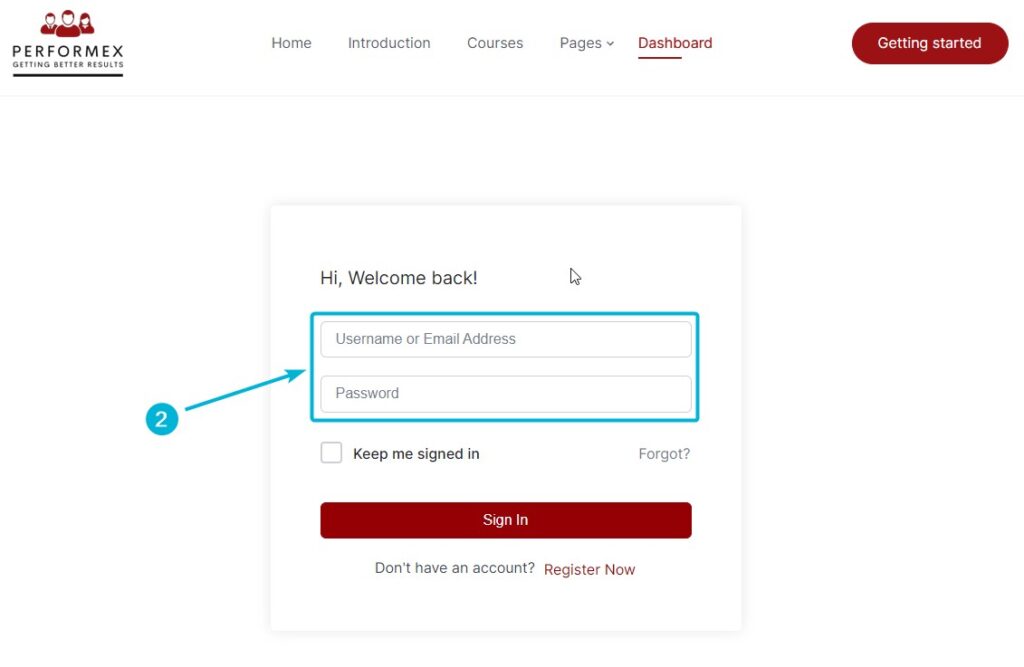
2
To log in, enter your credentials, which are your email address and password, in the designated fields.
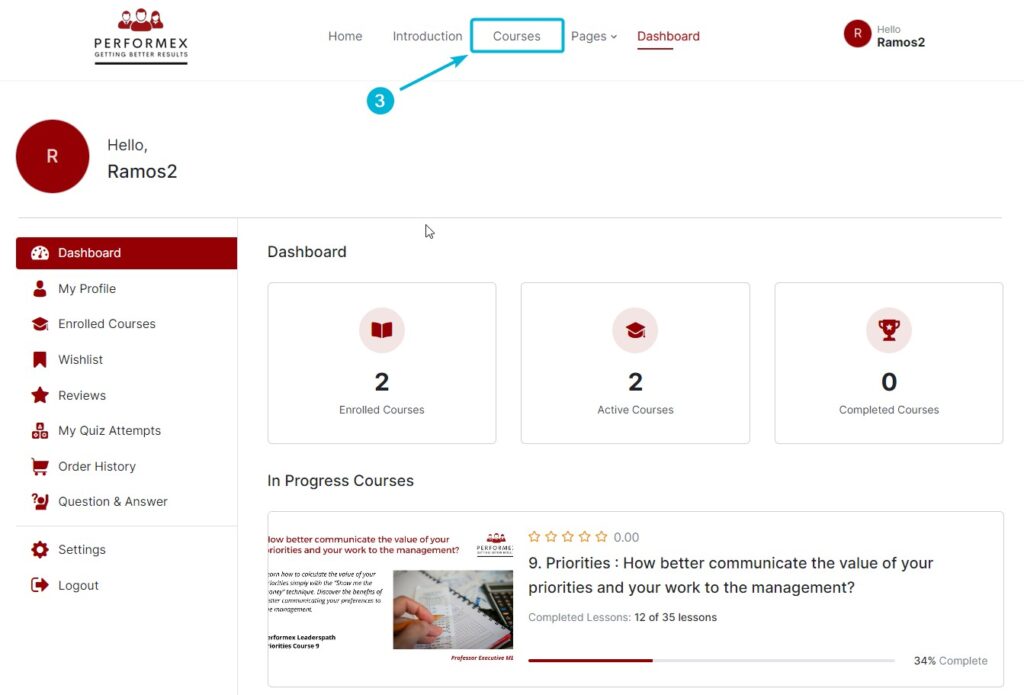
3
To view the list of available courses, click on the "All Courses" link located in the main menu.
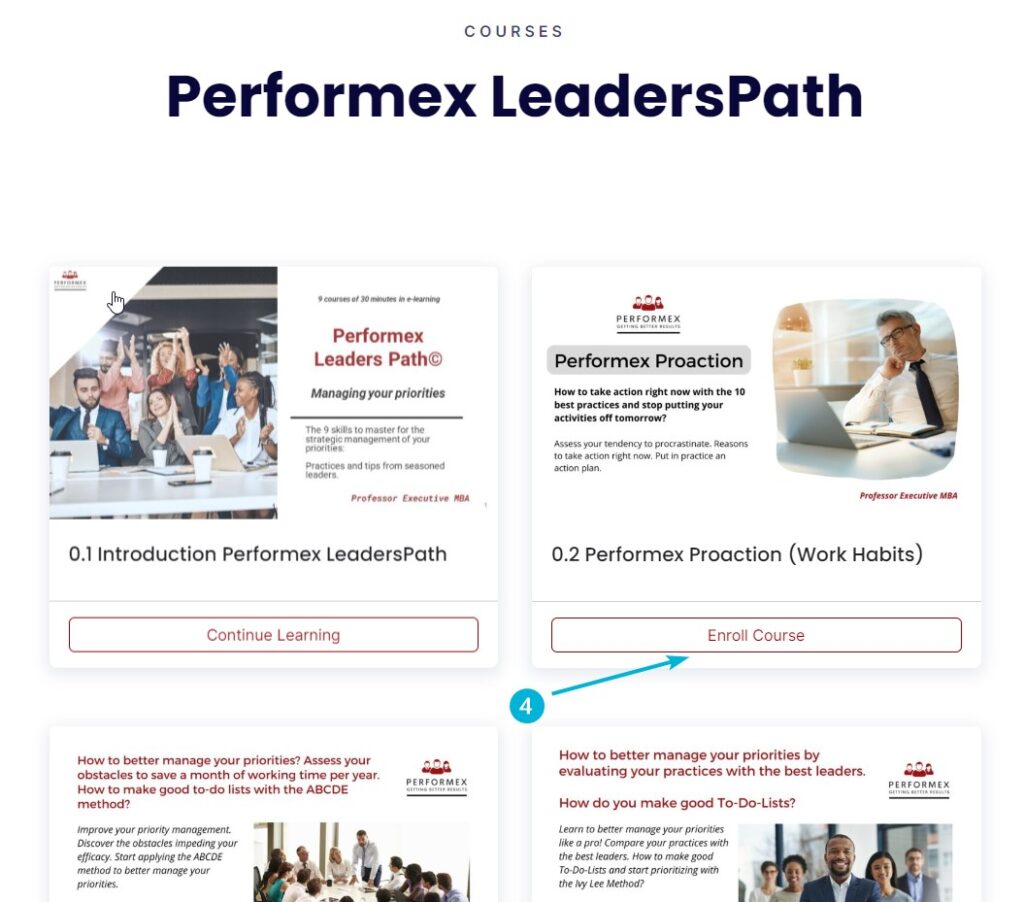
4
Choose the course you want to take by clicking on the "Enroll Course" button.
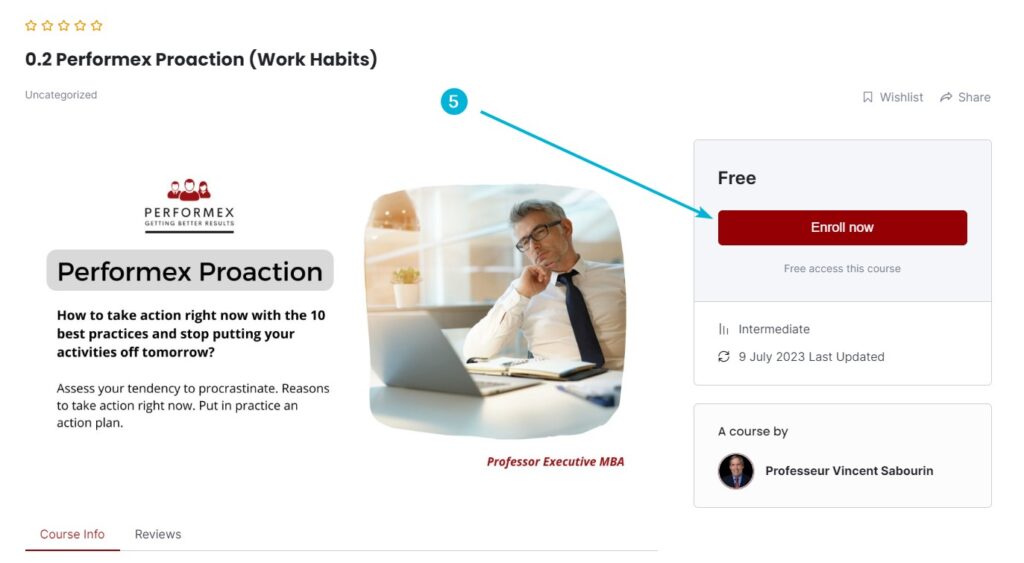
5
To start the course, click on the "Enroll Now" button.
6
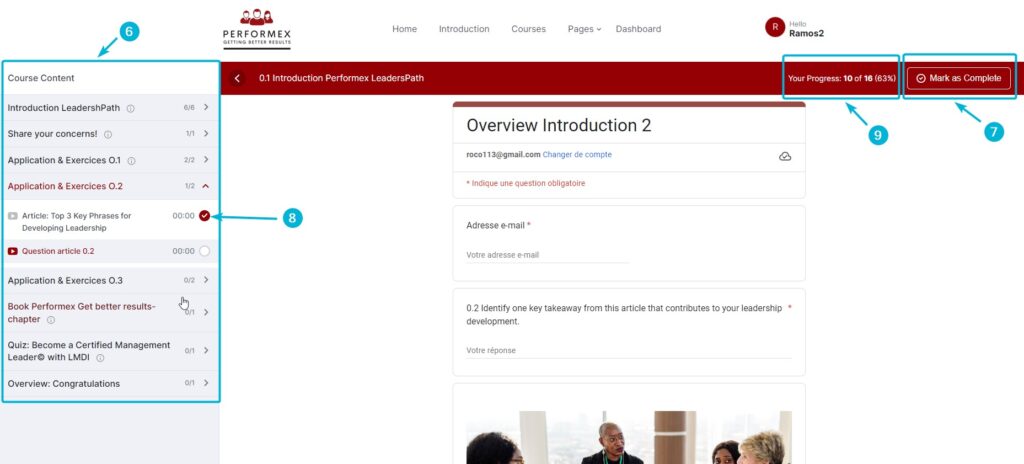
On the left side of the screen, you will find all the course content elements, such as lessons, videos, and resources.
7
The "Mark as Completed" button is very important. Whenever you finish a course element, don't forget to click on this button to mark it as completed. This will save your progress and allow you to move on to the next course element automatically.
8
Each course element you have finished and marked as completed will be indicated by a checkmark, as shown in the images.
9
The progress bar allows you to track your real-time progress. For instance, if you have completed 10 course elements out of a total of 16, it means you have completed 63% of the course.
How to track your progress on the personal dashboard.
10
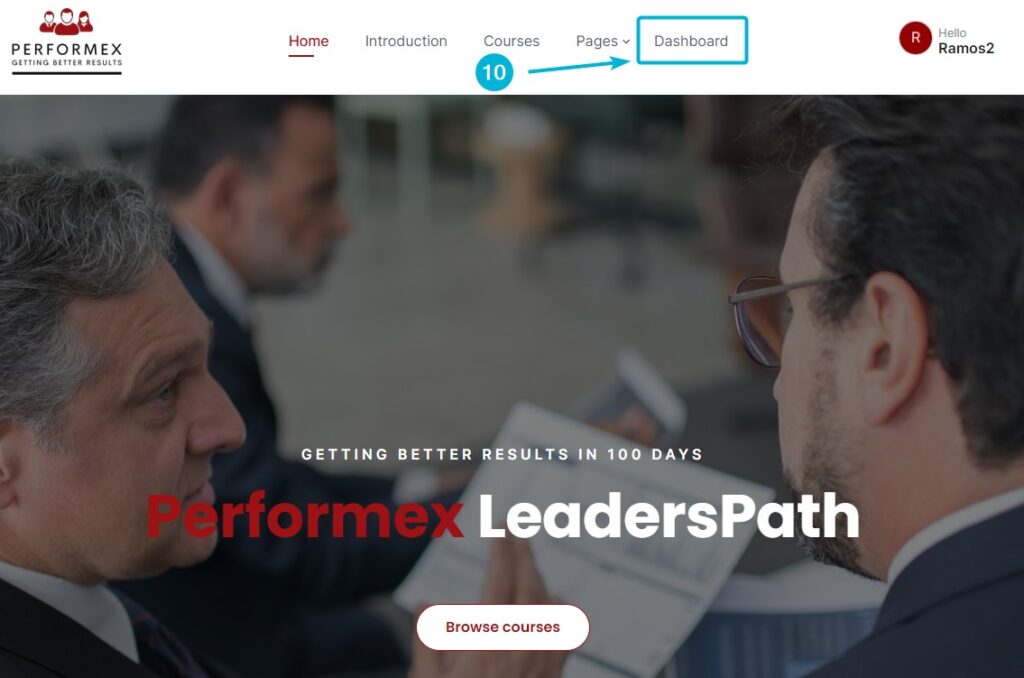
Click on the "Dashboard" link to access your personal dashboard.
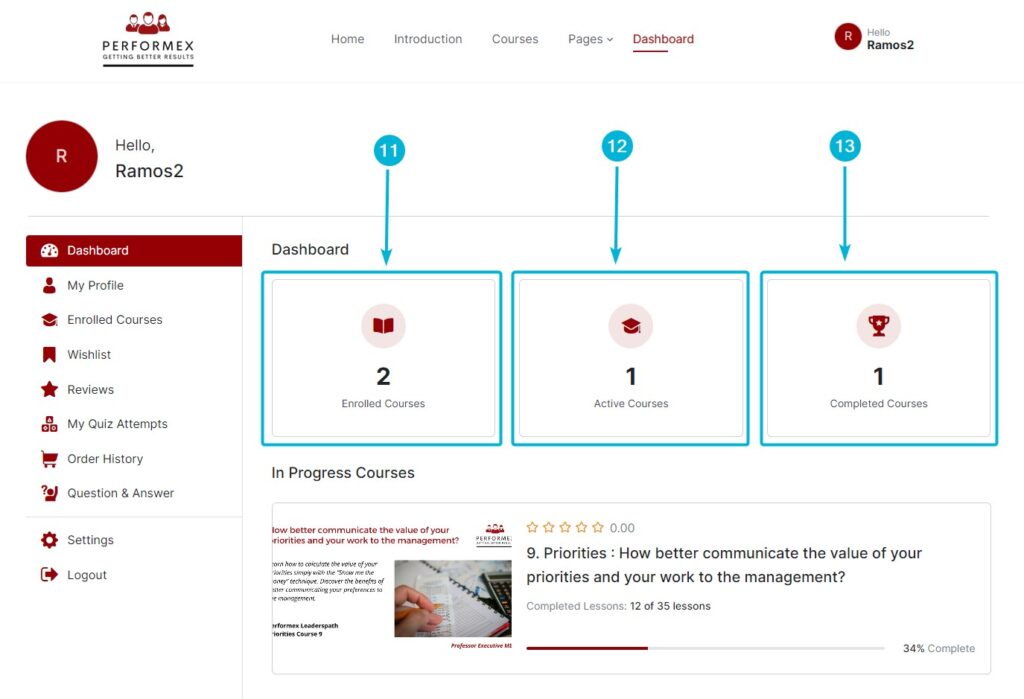
On the dashboard homepage, you can get an overview of your progress across all the courses you are enrolled in.
11
The total number of courses you are enrolled in.
12
The number of courses you have started and are currently in progress, meaning you have not completed them yet.
13
The number of courses you have successfully completed.
14
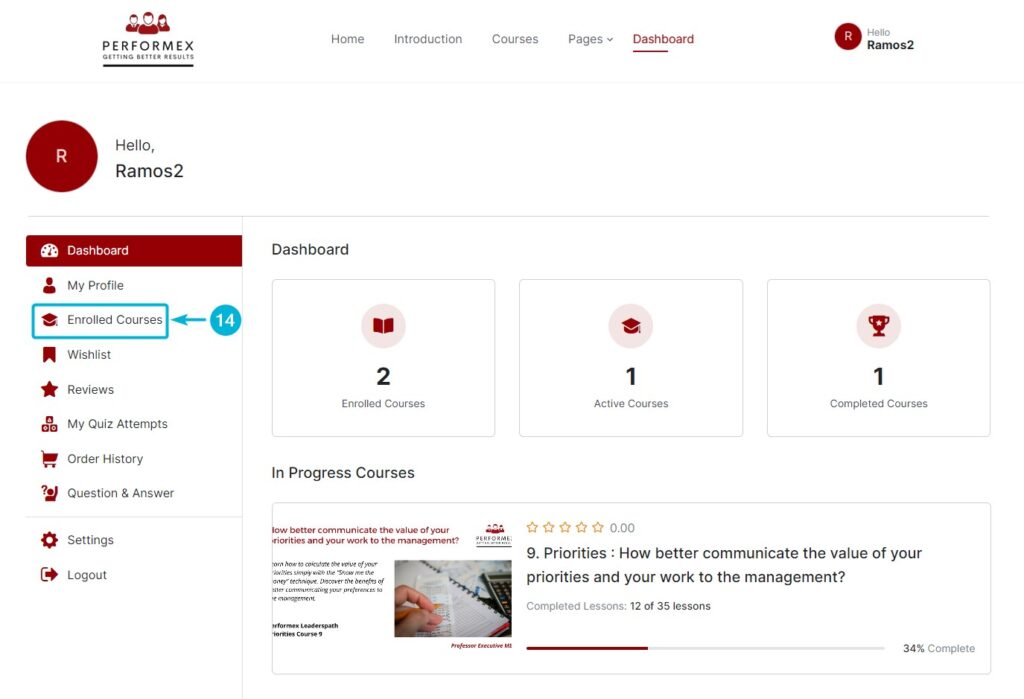
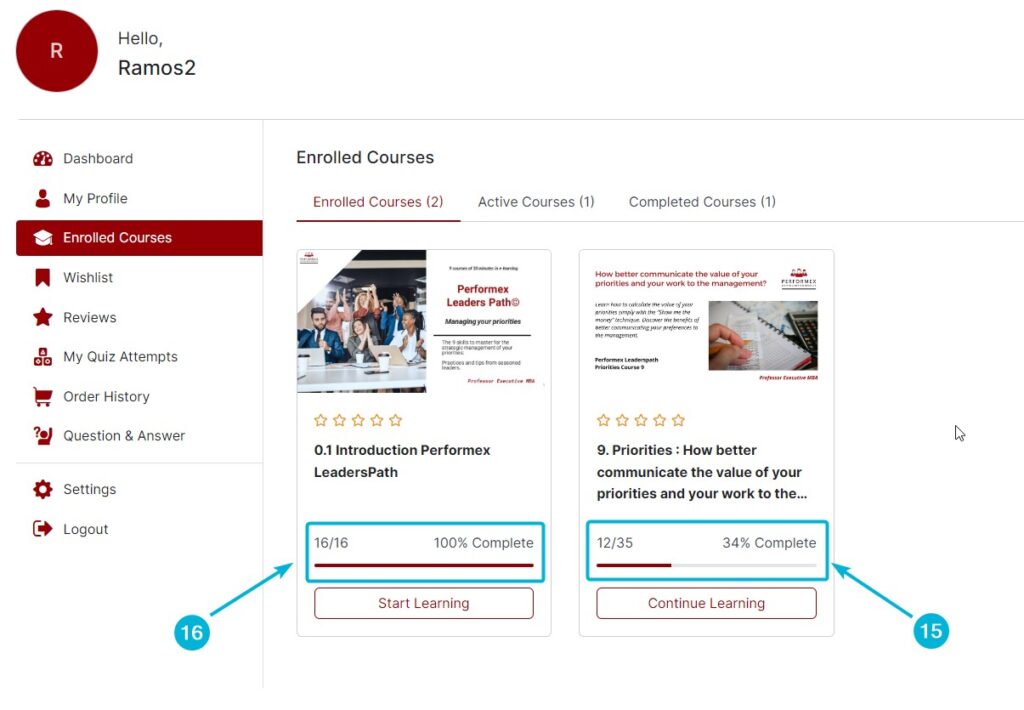
Click on the "Enrolled Courses" link in the left menu to get a detailed overview of your progress in the courses.
15
In this example, the participant has completed 12 out of 35 elements, which corresponds to 34% of the course.
16
In another example, the participant has completed all course elements, which is 16 out of 16, indicating a progress of 100%.
These steps should guide you to effectively learn courses on Performexworld. Enjoy your online learning experience!
COACHING AND DEVELOPMENT E-LEARNING PROGRAM FOR LEADERS AND MANAGERS